Showing posts with label tutorial. Show all posts

Sunday, 24 July 2011

Turn Your Photo Into A Terminator Style Robot With Photoshop


This one took me a while to make but the end result was totally worth it. In this tutorial i will be sharing the technique of converting your photo into a terminator style robot. Here is a final preview of what we are aiming for :

Final Preview :
Turn Your Photo Into A Terminator Style Robot Using Photoshop
First Up grab the following stock pictures :

Tuesday, 5 July 2011

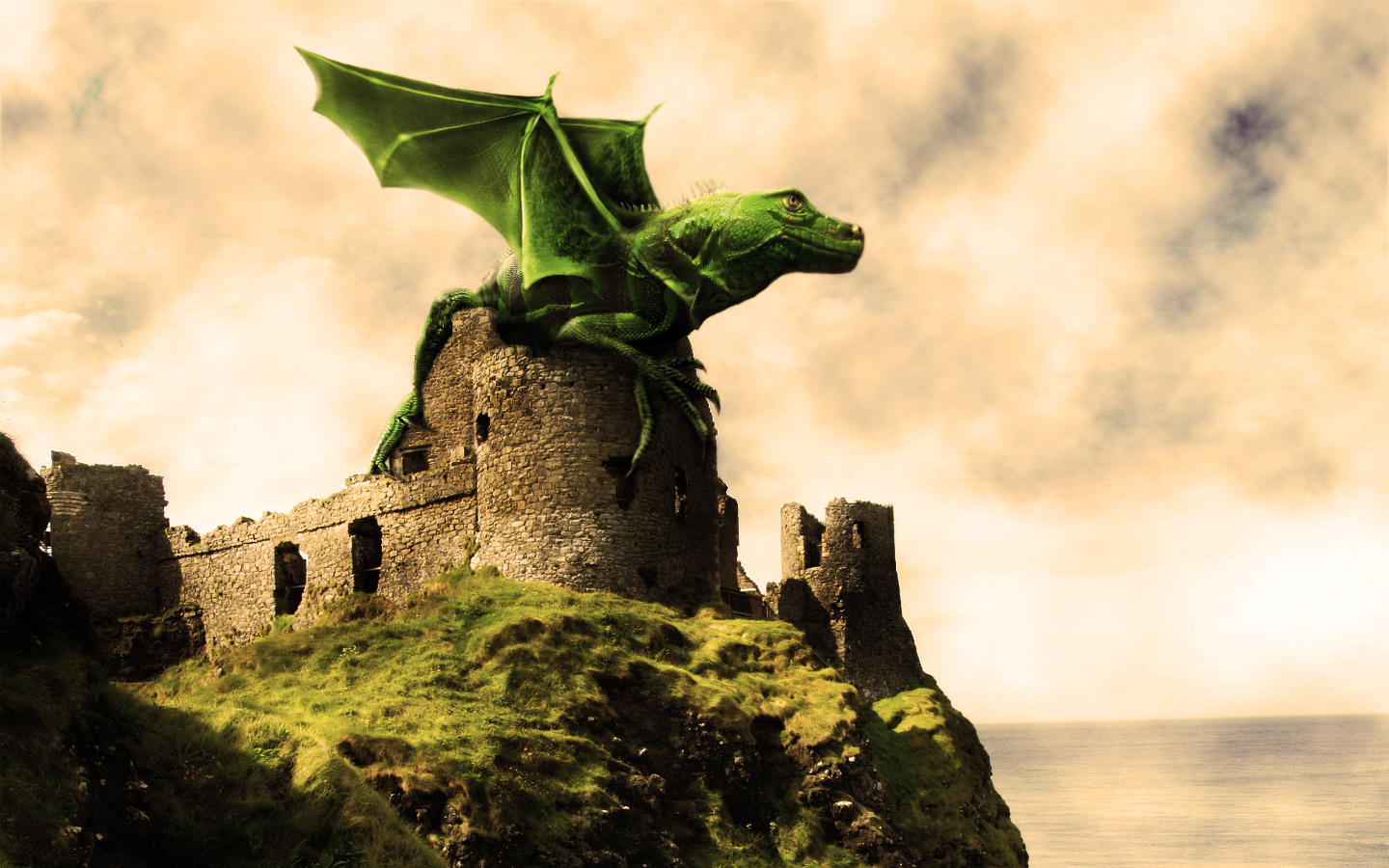
In Photoshop How to Design a Dramatic Winged Dragon


We’ll be creating a fantasy illustration in this tutorial, I’ll show you how to merge two images into one using layer Masks and reshape a picture using the Liquify Filter. We’ll take an image of a baby iguana and another of a bat, then combine the two to create a fantasy dragon. Let’s get started!

Final Image Preview

First, take a look at the image we’ll be creating. Want access to full PSD files and downloadable copies of every tutorial, including this one? You can view the final image preview below or view a larger version here.
Final Click